

Knowledge Base
Find guides, tutorials, and answers to questions about our services.
Categories
Setting the License
Published on
10 Jul 2026
449 views
The license setting determines the type of usage rights (Creative Commons) that apply to each published article.
Step 1 Log in to your OJS admin account, then open the Distribution menu. On the Distribution Settings page, select the License tab.
Step 2 In the License section, select "CC Attribution 4.0", then save the changes.
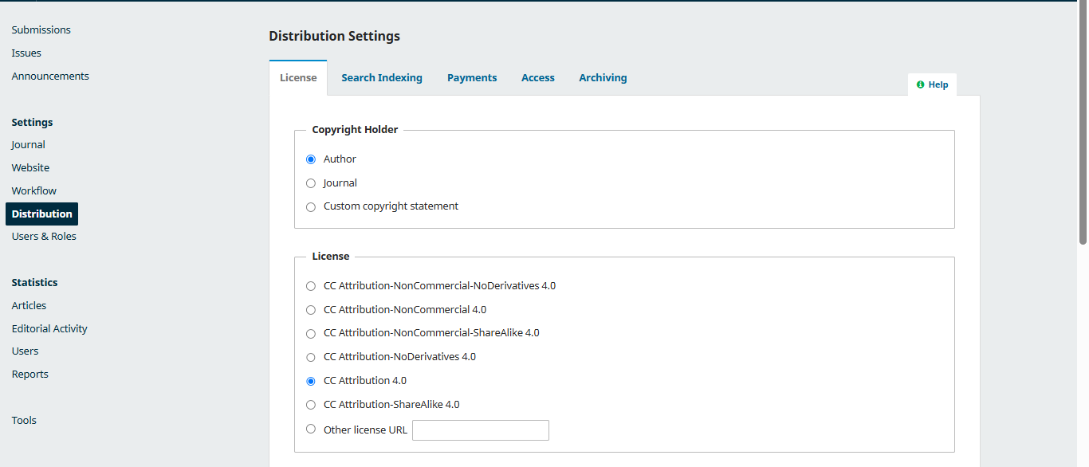
The journal's license configuration is now complete.
Related Articles
PT Pubmedia Digital Sains
Jl. Sidorejo, Gg. Nakula No. C12 Ngestiharjo, Kasihan, Bantul, D.I Yogyakarta 55182 [email protected] +62 851-6865-2024Partners

© 2026
PT Pubmedia Digital Sains
. All rights reserved.