

Knowledge Base
Find guides, tutorials, and answers to questions about our services.
Categories
Enabling the Research Organization Registry (ROR) Plugin
Published on
10 Jul 2026
307 views
The ROR plugin is used to manage author and reviewer affiliations using ROR identifiers, which are also part of the metadata sent to Crossref.
Step 1 Log in to your OJS admin account, then open the Website menu. On the Website Settings page, select the Plugins → Installed Plugins tab.
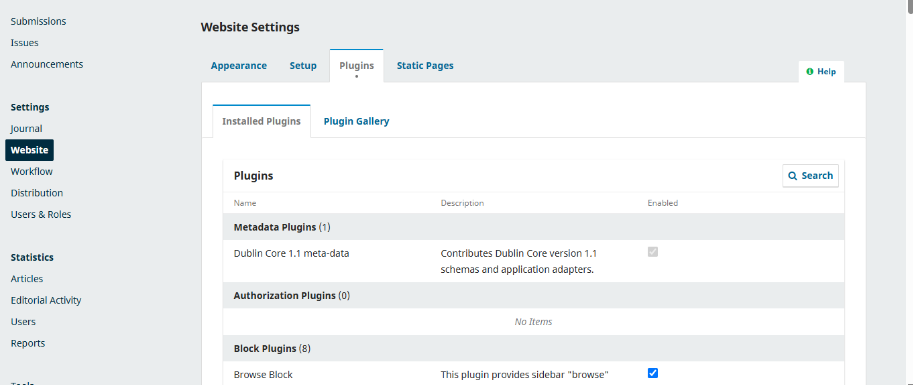
Step 2 Use the Ctrl+F keyboard shortcut to search for the keyword "Research Organization Registry" or "ROR", then check the box next to the plugin to enable it.

Once the ROR plugin is active, the system can automatically manage author affiliation data using ROR identifiers.
Related Articles
PT Pubmedia Digital Sains
Jl. Sidorejo, Gg. Nakula No. C12 Ngestiharjo, Kasihan, Bantul, D.I Yogyakarta 55182 [email protected] +62 851-6865-2024Partners


© 2026
PT Pubmedia Digital Sains
. All rights reserved.