
Knowledge Base
Categories
Tutorial for Applying for Crossref Similarity Check Service
1. Check Publisher Eligibility
Before submitting an application, please check whether your Publisher meets the requirements to use the Similarity Check service through the following page: Crossref Similarity Check – Eligibility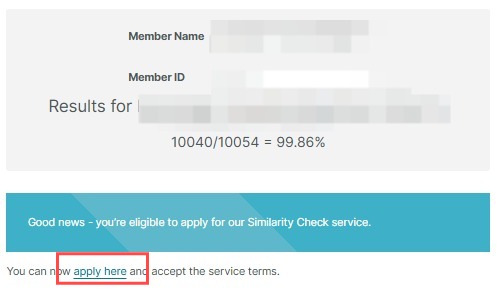
2. Check Your Crossref Member ID
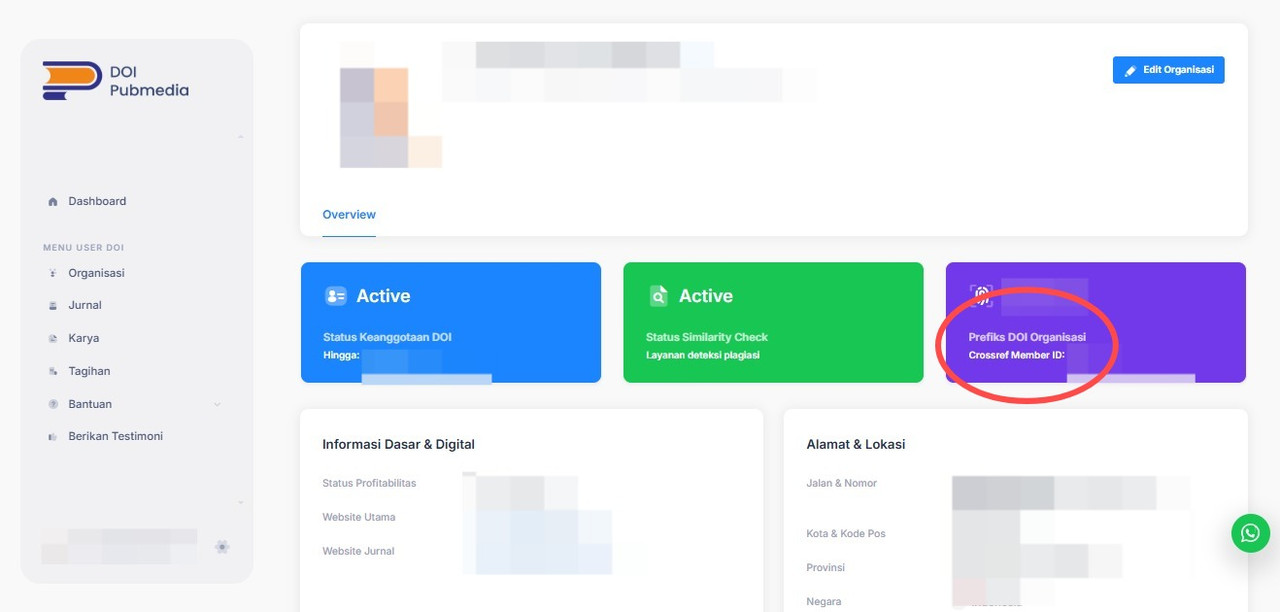
To find your Crossref Member ID, please log in to the DOI by Pubmedia system: Login DOI by Pubmedia
3. View Your Crossref Member ID
After successfully logging in:
- Click “Organisasi” (Organization) on the purple navigation bar.
- The system will display your Publisher Crossref Member ID.
4. Proceed with the Application
Return to the Similarity Check Eligibility page mentioned in Step 1. If your Publisher is confirmed as eligible, proceed with the application by selecting “Apply Here.”
5. Complete the Application Form
You will then be directed to complete the information required for the Similarity Check application.
We recommend submitting the application using the Publisher email address that is already registered and linked to Crossref.
5.1 About You
Enter the name and email address of the registered Publisher.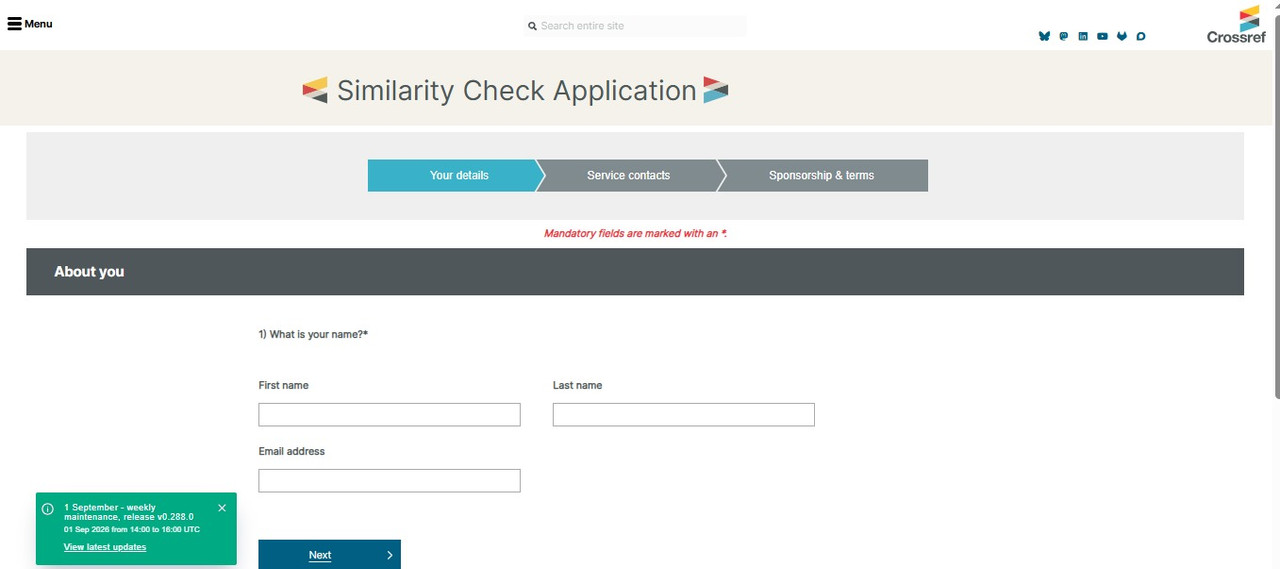
5.2 About Your Organization
Under Point 3, select: Yes – OJS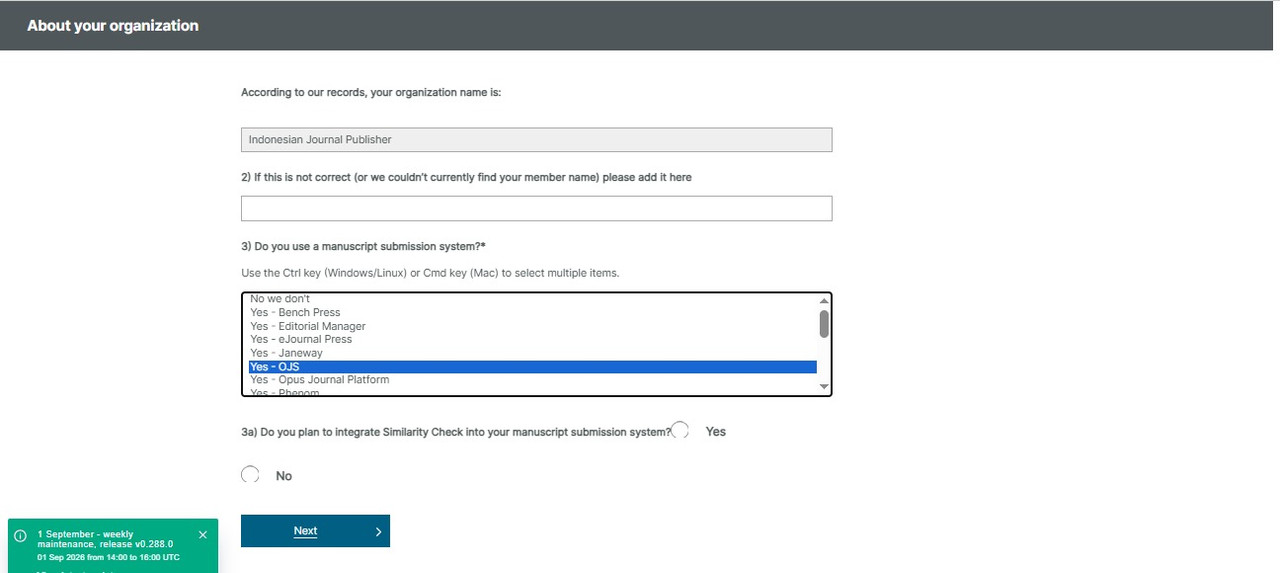
5.3 Your Prefix
Please make sure that the Publisher's DOI Prefix displayed is correct and matches your Publisher's DOI Prefix.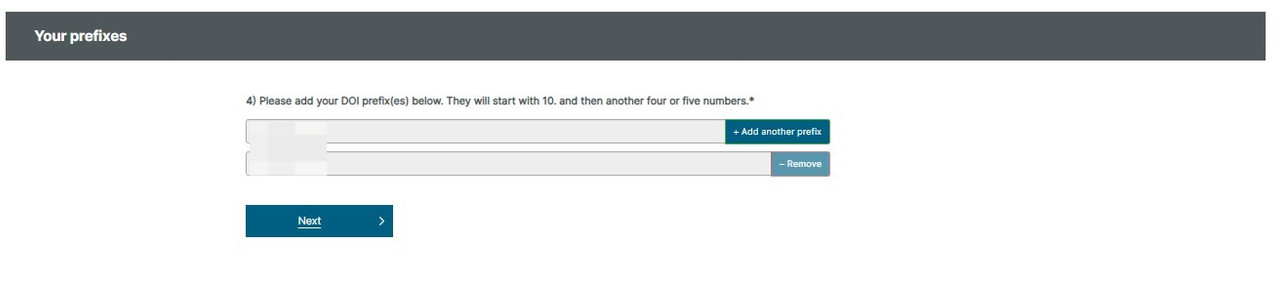
5.4 Data Centre Region
Select the data centre region that corresponds to your location.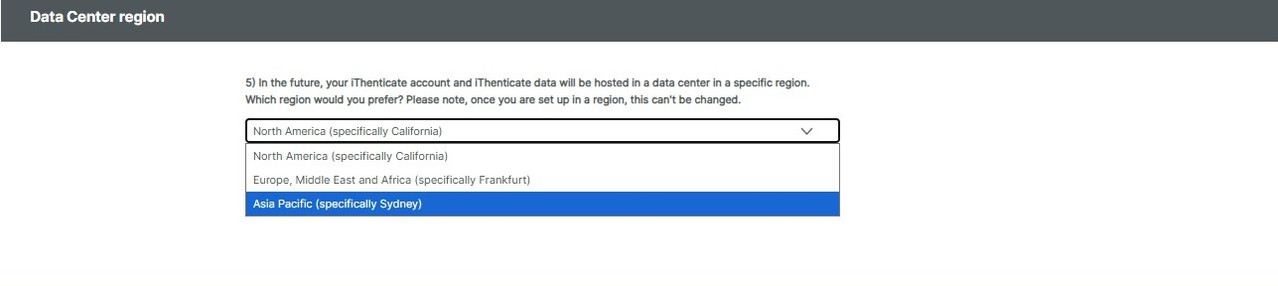
5.5 Similarity Check Contact at Your Organization
Enter the contact information according to the roles and responsibilities of the relevant team members, particularly those responsible for editorial and technical matters related to Similarity Check.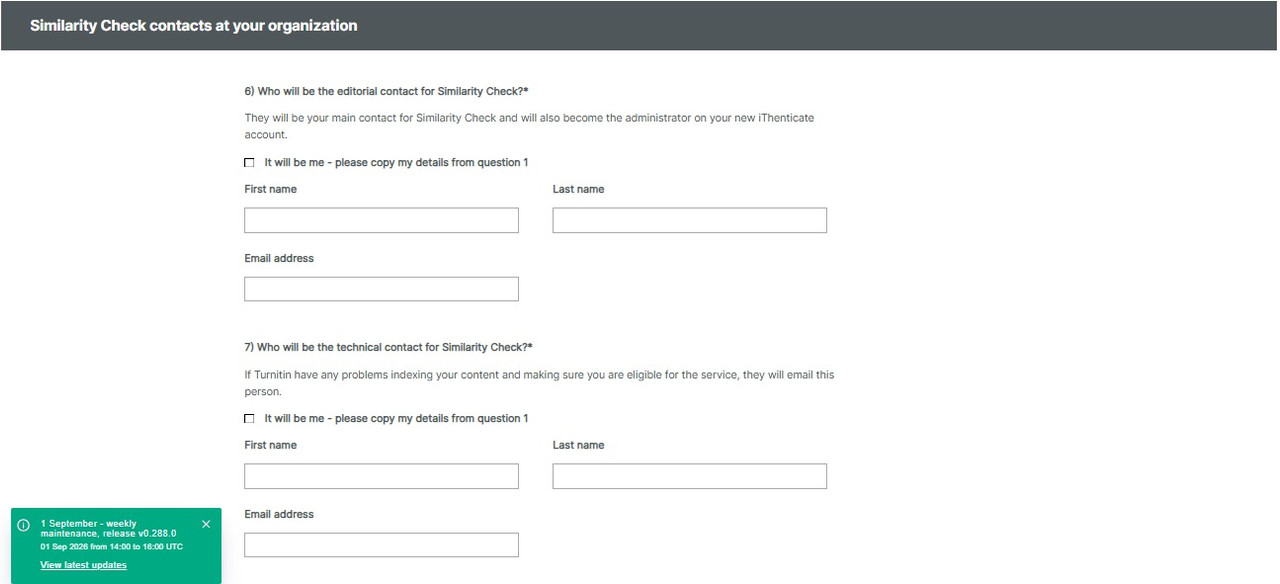
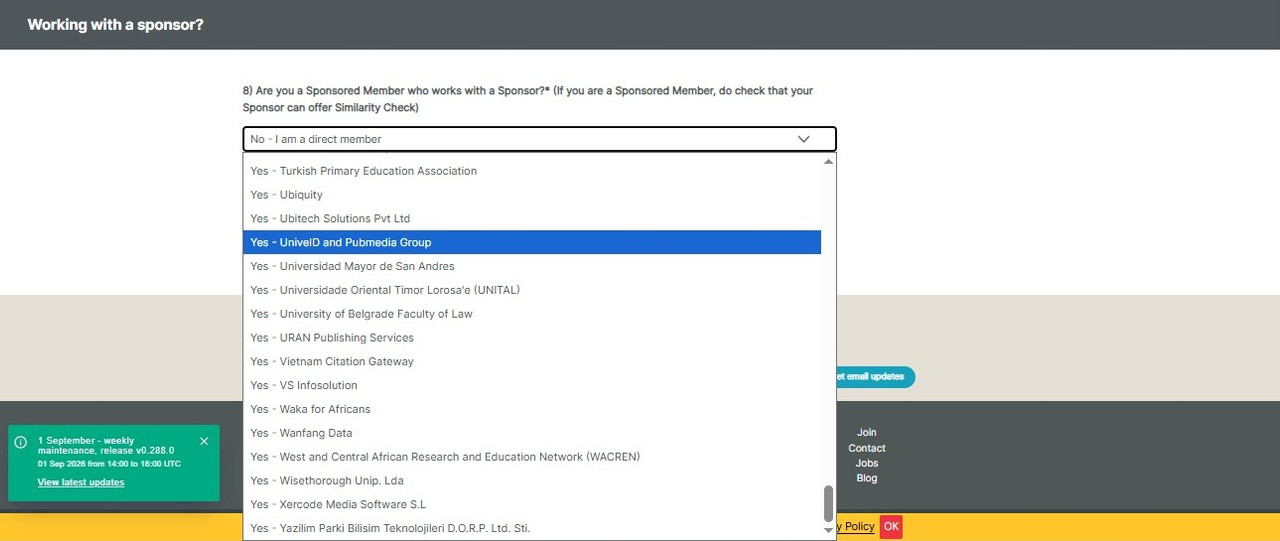
5.6 Working with a Sponsor
For this section, select: Yes – UniveID dan Pubmedia Group
6. Agree to the Terms
After completing all required information:
- Review all the information you have entered.
- Check “I Agree” to confirm your agreement and proceed with the application.
7. Submit Your Application
Finally, click “Kirimkan lamaran saya” (Submit My Application) to submit your Similarity Check application to Crossref. The application process with Crossref generally takes approximately 7 business days. Please allow sufficient time for Crossref to review and process your application. If you experience any issues or have questions during the application process, please contact the DOI by Pubmedia Admin for assistance.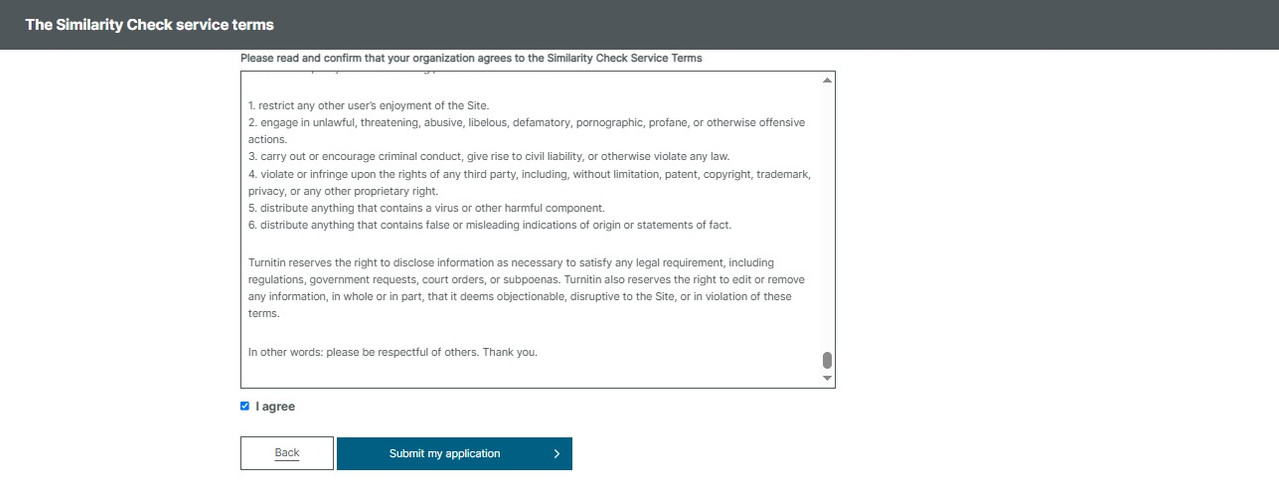
Related Articles
PT Pubmedia Digital Sains
Jl. Sidorejo, Gg. Nakula No. C12 Ngestiharjo, Kasihan, Bantul, D.I Yogyakarta 55182 [email protected] +62 851-6865-2024Partners