

Knowledge Base
Categories
Tutorial for Adding PIC Contacts on the DOI by Pubmedia Website
Please follow the steps below to add Person in Charge (PIC) contacts on the DOI by Pubmedia website:
1. Log in to the DOI by Pubmedia Website
Please log in through the following page: DOI by Pubmedia User Login
Enter your registered email/username and password.
2. Select “Edit Organization”
After successfully logging in, go to the Organization section and select the “Edit Organization” tool.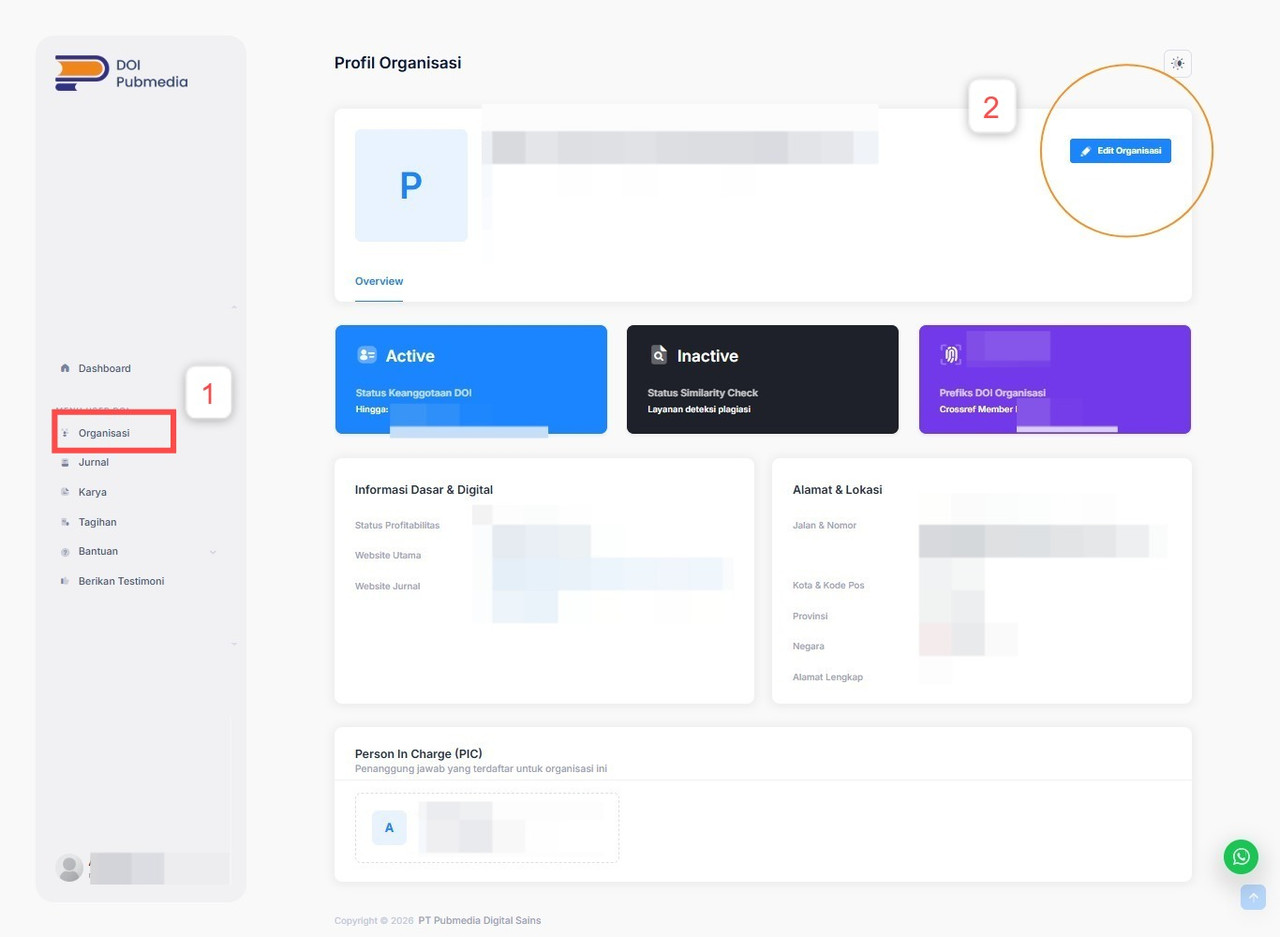
3. Add a PIC
Next, scroll down to Section 3 – Person in Charge (PIC).
Then, click the “Tambah PIC” (Add PIC) button.
4. Complete the PIC Information
Please complete the PIC information according to the available roles on the website, including:
- PIC Name
- PIC Email Address
- PIC Phone Number
- PIC Role
Please make sure that each PIC is assigned according to their respective responsibilities so that communication can be directed to the appropriate person.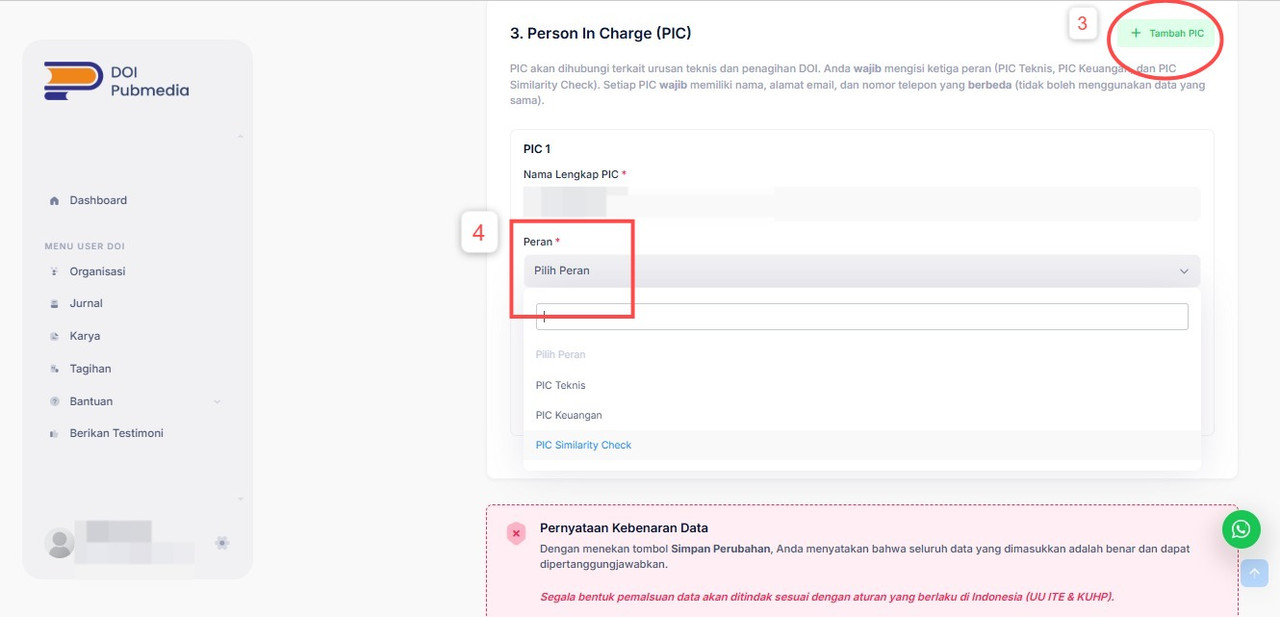
5. Make Sure the Information Is Correct
Please enter accurate and active PIC information, especially the email address and phone number that can be reached when needed. Accurate and complete PIC information is important to minimize the risk of miscommunication, particularly for information related to billing, similarity checks, and technical matters or DOI activation.
Note: Please ensure that each PIC uses contact information that corresponds to their respective role, so that important information from DOI by Pubmedia can reach the appropriate person.
Related Articles
PT Pubmedia Digital Sains
Jl. Sidorejo, Gg. Nakula No. C12 Ngestiharjo, Kasihan, Bantul, D.I Yogyakarta 55182 [email protected] +62 851-6865-2024Partners